Showing posts with label nas. Show all posts

Saturday, July 08, 2017

Hard Drive Crash

Here’s one for you.  I bought (and still really like) the Synology NAS earlier this year.  It’s proven to be faster and more flexible than the server it replaced.  Granted the Hyper-V server could run any workload I wanted, however I ended up using it only for file and iTunes/music sharing so that was going to waste.

I had four Western Digital Red 3TB drives in it.  The WD Reds are quite likely my current favorite drives for this purpose.  They are 5400 RPM, quiet, cool and fast enough.  I do recommend them.  My only real gripe is they have a three year warranty instead of a five, but that’s what it is.  More expensive WD drives have longer MTBF/warranty times, so you have options.

That being said, three of my drives are at the end of their lifespan.  In fact, one was giving me bad sectors so I decided it was time to replace it, followed by the rest over the next few weeks.  With that in mind, I ordered two new drives, used one to back up the data I cared about and set about replacing the failing drive two.

Within 5 minutes of replacing that drive and starting the rebuild process, I received a number of emails about failures and ultimately a crashed array because drive FOUR had started generating bad sectors.

Ugh.

Next time I have the NAS perform RAID maintenance to catch this. I’m fairly confident that had I done that it would have fixed the issues and moved on, but now I have a permanently degraded array and a fairly big issue.  I’m not in the process of copying EVERYTHING off the NAS and onto a collection of spare drives (three 2tb Reds and a couple other 1tb SSD/HDDs).

At least the array stayed live, albeit read-only, so I could get this done.  It’s more annoying than fatal at this point, but I must admit I’m a bit annoyed the ongoing self-checks didn’t catch the issue.  I also suspect that somewhere there was a note to perform basic maintenance on the array before pulling a drive ….

Ce’st la vie …

Thursday, January 05, 2017

NAS Update

I’m about two weeks into having the NAS and so far so good.  I’ve spent much of the last two weeks sorting out all my pictures (see my other blog posts about that process) in preparation for the big move.  I’d spent so much time at one point or another making duplicates or moving files around that I had at least two copies of almost every picture I’d ever taken.  Needless to say, that wasn’t really sustainable long term.  It also meant that my file server had more than its fair share of extra files on it.  Now I’m at the point where I have, basically, one good copy of all my pictures.  Oh, and I’ve held onto the iPhoto libraries from all the way back too, just in case.

This means that I was able to move some of my three terabyte Western Digital Red drives into the NAS.  Of course, in true moving-a-bit-too-fast-for-my-own-good style, I grabbed the wrong drives out of the server only to have it boot up and tell me that it had no working arrays … whoops.  Fortunately for me, the Synology’s Diskstation Manager (DSM) didn’t immediately grab the drives and try to reformat them.  As such, I just stuck the correct drives back into the old server, grabbed the right drives, booted the system and all was well.

With the additional drives in the new NAS, it was time to add them to the array.  Right now (24 hours later), it’s at 25% expansion of the array.  It’s definitely taking longer than I would have expected to complete the expansion, but I’m hoping that’s a one-time deal.  It is something to be aware of, though, if you plan on expanding an array in a hurry.

A few other notes:

  • I currently use my old server as an iTunes server.  No worries, DSM offers both Plex and a native iTunes server.  The issue I’m seeing right now is the built-in server doesn’t support playlists, other than smart playlists.  Given that I have a playlist I’ve played for the kids almost every night since my son was born, not having access to that capability is a bit of a pain.  To top it off, I can’t seem to get Plex audio playlists to show up on my Roku. Update: Turns out I was wrong, I just needed to install the Synology Audio Station to create static play lists. With that, and the Video Station, I’ve uninstalled Plex for now.
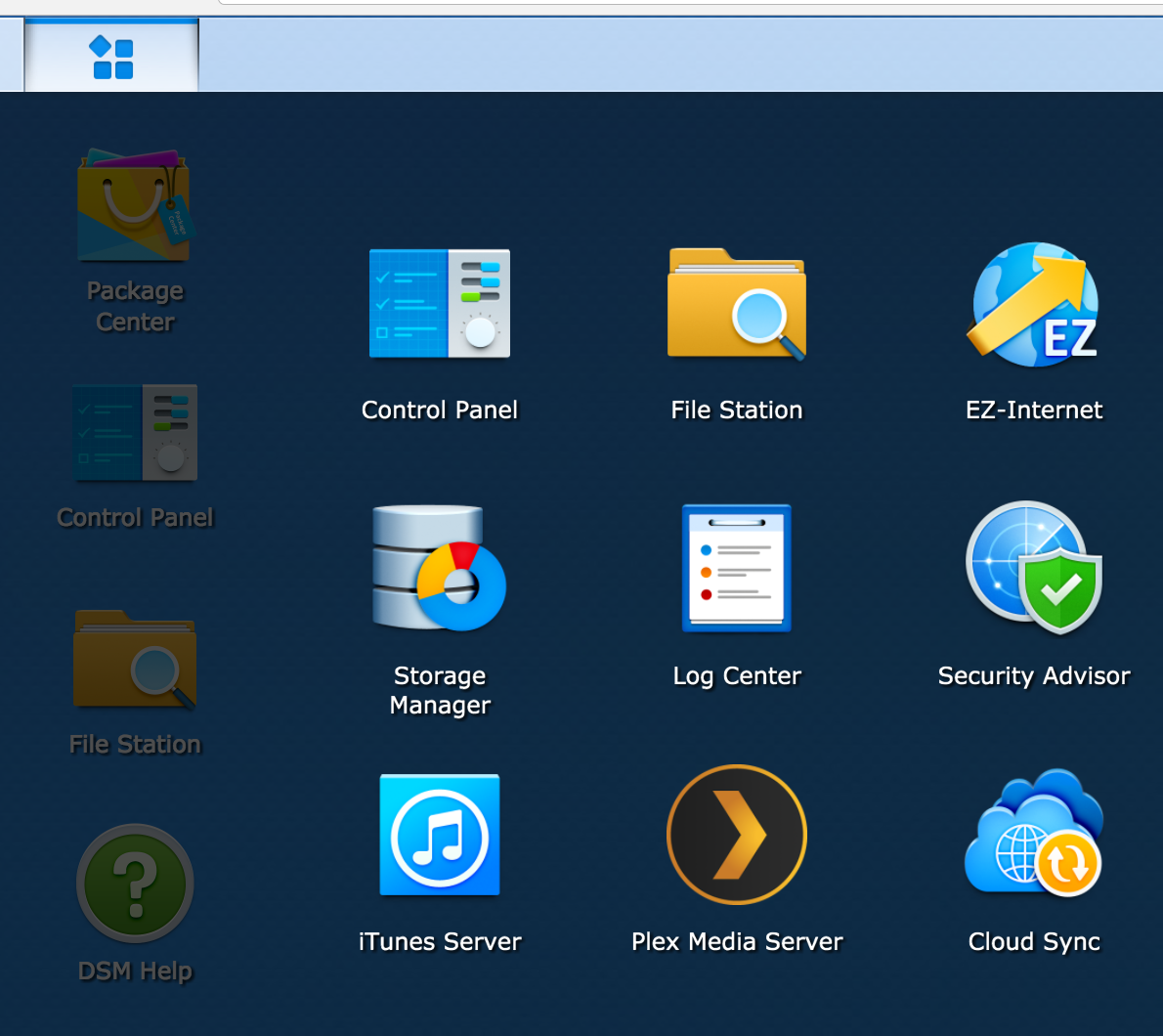
  • The web based UI is decent.  It’s still a web-based UI, but overall it seems competent.  There are places where I can’t always seem to find what I’m looking for, but that’s how it goes.  The biggest issue for me is the split between items you control in the control panel, items you need to go to the package manager to manage and “applications” that appear in the app start menu thingy (see the UI below with the menu expanded).  The big one was the Storage Manager application.  I had to go there to change how the storage was managed.  An OK thing once you know about it, but, to me, that belongs in the control panel.  I guess that’s a minor gripe, because now that I know where it is …
  • Synology also offers Android and iOS applications for certain key features, such as photo, video and music browsing.  I haven’t spent too much time with those yet, but they look interesting and may provide a decent alternative to Plex.  And they have Google Cast capabilities built in!

NewImage

Thursday, December 29, 2016

A new NAS

After 10 years (or so) of using a PC as a file server, I finally decided enough is enough.  The size, noise and upkeep of my old PC was just a bit too much for me to want to deal with any longer.  Not that there’s an issue with using a PC as a file server, but it just seems, now, a bit overkill.

My original goal when I build the PC server was to use virtualization in order to run various servers and experiment with various technologies.  While that worked for a time, the amount of memory I needed ended up growing beyond what I have and the price to upgrade became too much for what is basically an eight-year-old machine.

The size also became a bit too much to handle.  When I built the machine originally, I bought a huge full tower case.  I assumed that I would ultimately need multiple HDDs and a big power supply.  Had I stuck with the virtualization, then this may have made more sense.  Now, it’s just a noisy boat anchor that serves (pun intended) as a file and iTunes server.

One other reason to move away starts with the advent of streaming music services (Google Play, which I use).  I now rely much less on the iTunes sharing than ever before.  My kids have a bedtime play list they use every night to go to sleep, but other than that (and the occasional Sonos use), I don’t rely on it as heavily as before.

With this in mind, I started looking at stand alone Network Attached Storage devices.  I like the idea of a bespoke device to manage this setup.  I also like the size of the device as opposed to beastie I have now.  The new devices also appear to offer more functionality and can, basically, replace a lot of the things I needed a stand alone PC for before.

If you’re curious, I ended up with a Synolog DS416play.  It was slightly more expensive than I was planning on, but it does offer better media capabilities, including hardware-based media transcoding.  This was something I’d tried on the old system and it just couldn’t keep up.  I’m hoping to dump much of my media on there and share them out to my Chromecast and Roku devices.

As I spend more time with it, I’ll post more.